Getting Started
Welcome to the Niara API documentation! This guide provides everything you need to start using our platform quickly and efficiently.
Authentication
All endpoints in this API are protected by API Key authentication. Your first step is to generate an API key from the Niara web app.
Here’s how to do it:
- Access the Niara app and log in to your account.
- Navigate to the API key generation section.
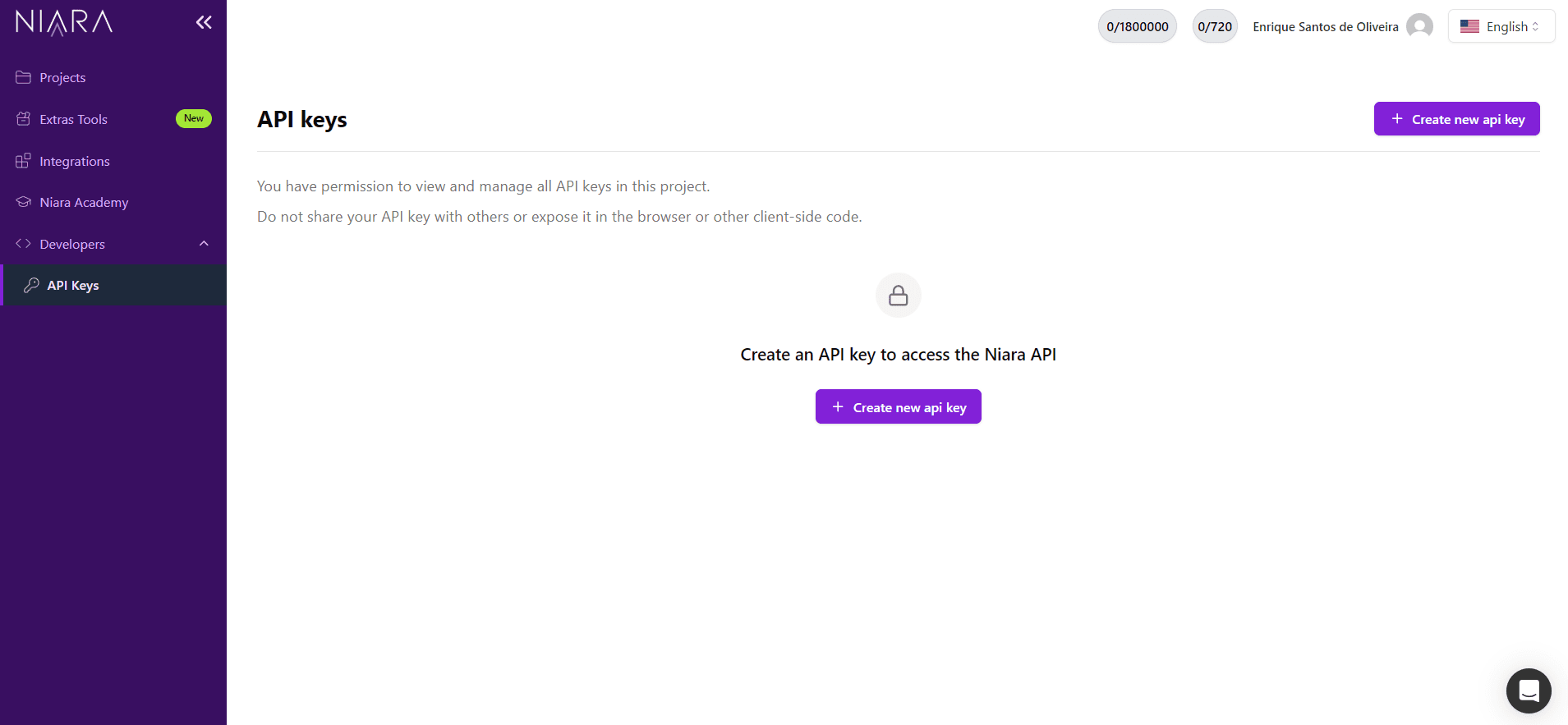
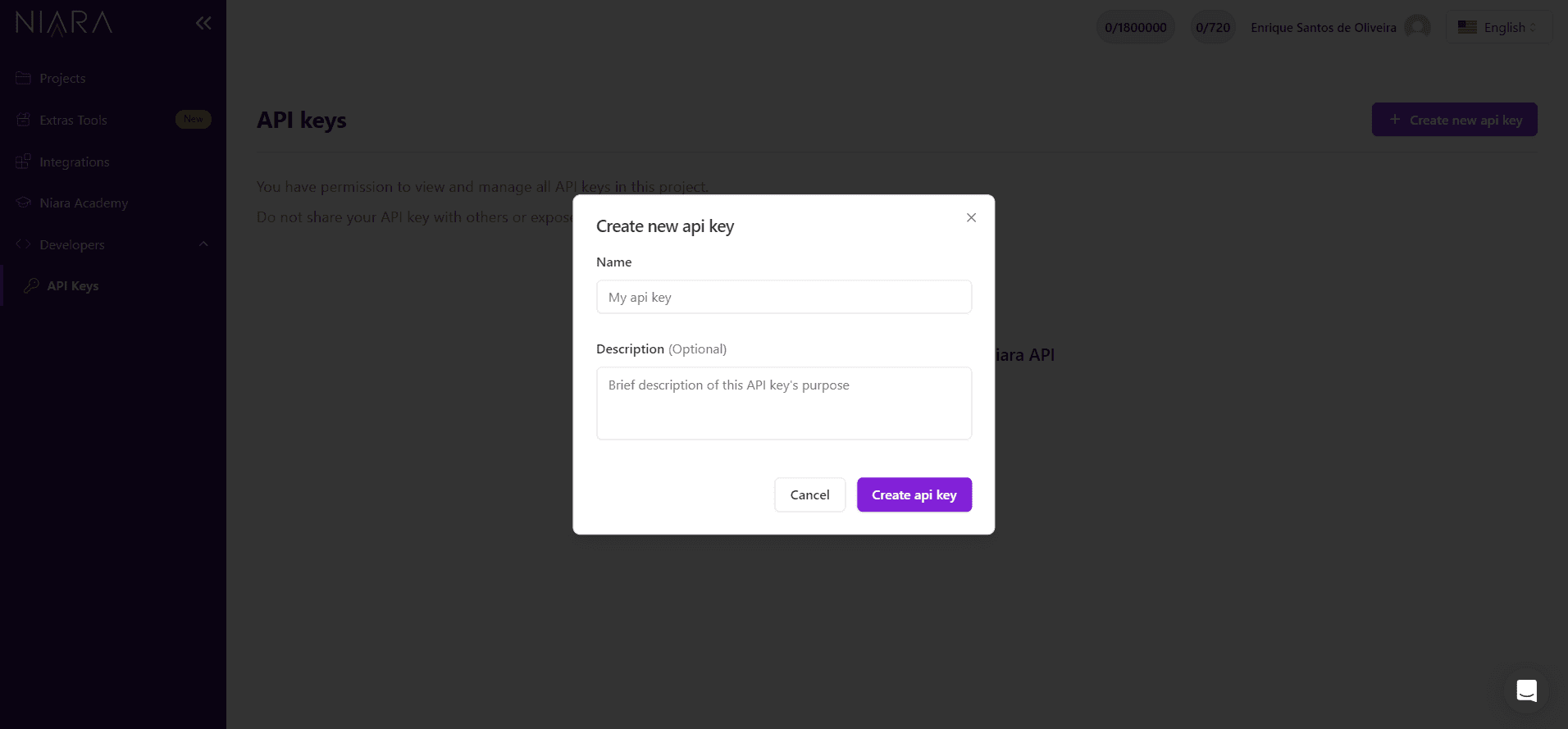
- Click on "Generate API Key," fill out the form, and copy the generated key.
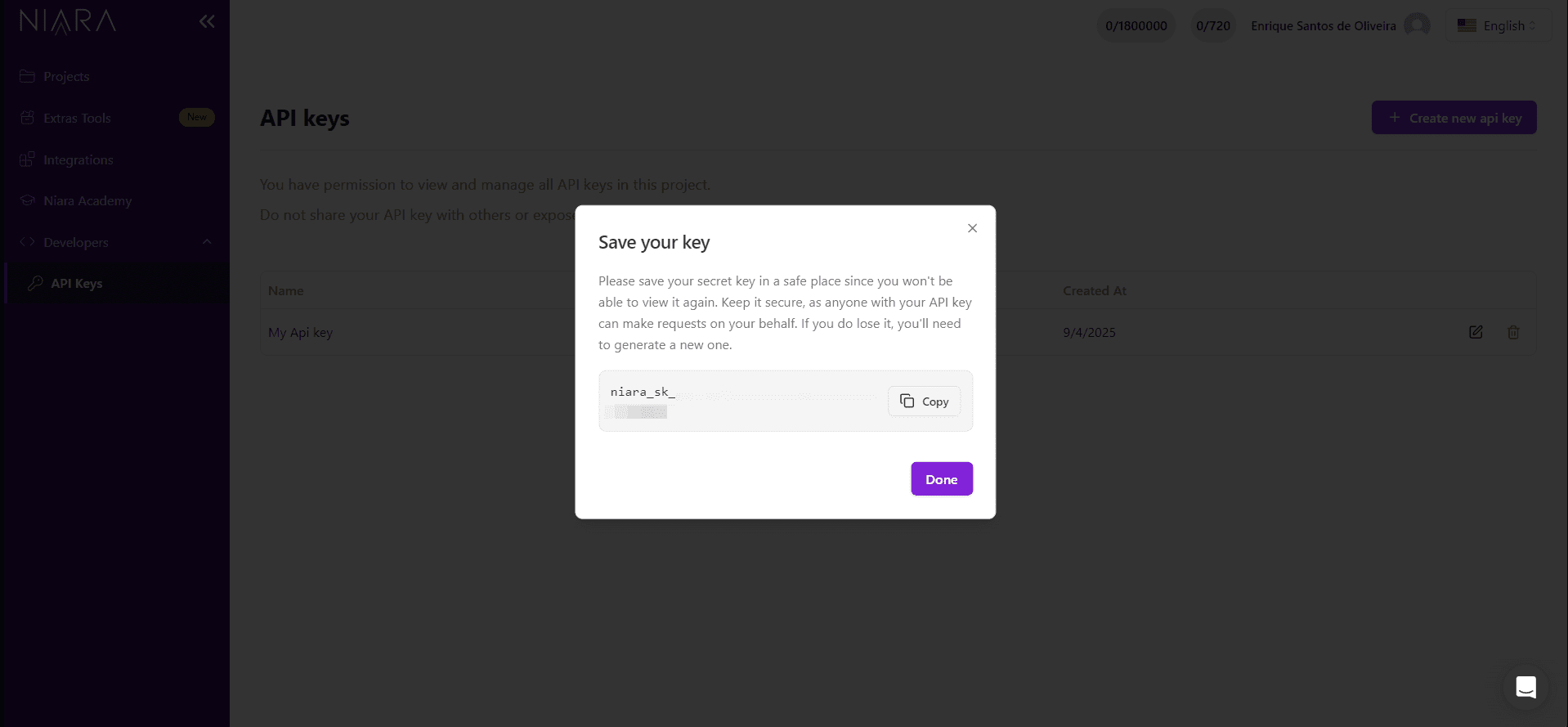
- Important: Store this key in a secure location. For security reasons, you will not be able to see it again.
Making a Request
Once you have your API Key, you can begin making requests. Below is an example of an authenticated request using fetch in JavaScript/TypeScript.
const res = await fetch("https://api.niara.ai/{endpoint}", {
  headers: {
    Authorization: "Bearer <your_api_key_here>",
  },
});